Last verified: June 23, 2026. Fortnite pro sensitivity settings are useful because they show where elite players actually land after thousands of hours of aiming, editing, building, and box fighting. The best pattern in 2026 is clear: most top mouse-and-keyboard players stay near 800 DPI, then tune X/Y sensitivity between roughly 6% and 9% depending on how much speed or control they want.
Quick Take: The Pro Sensitivity Pattern
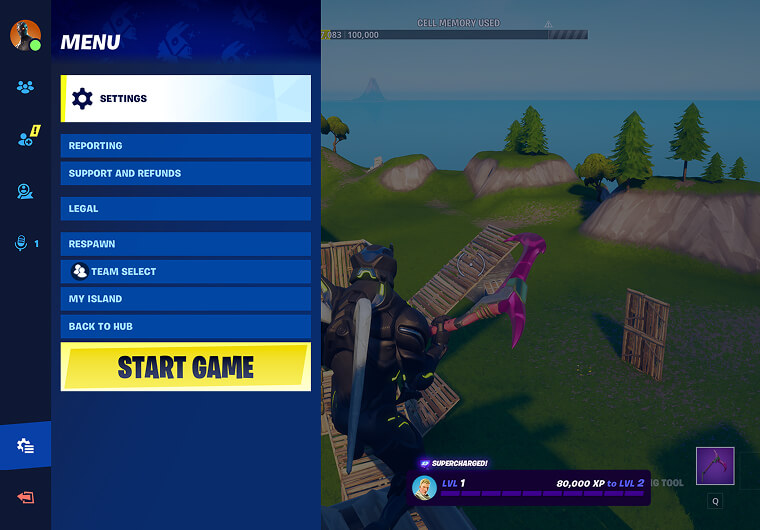
The strongest takeaway is not one magic sensitivity. It is a range. Pros with 400 DPI often run higher in-game values, while 1600 DPI players lower their in-game sensitivity to land in a similar effective range. That is why copying only the DPI or only the X/Y number can feel wrong.
- Most listed pros use 800 DPI or a mathematically similar setup at 400 or 1600 DPI.
- A practical starting range is 800 DPI with 6.0% to 8.0% X/Y sensitivity.
- High-mechanics players often push toward 8% to 9% for faster turns and edits.
- Targeting and scope sensitivity commonly sit around 30% to 60%, depending on ADS control style.
20 Fortnite Pros and Their Sensitivity Settings Compared
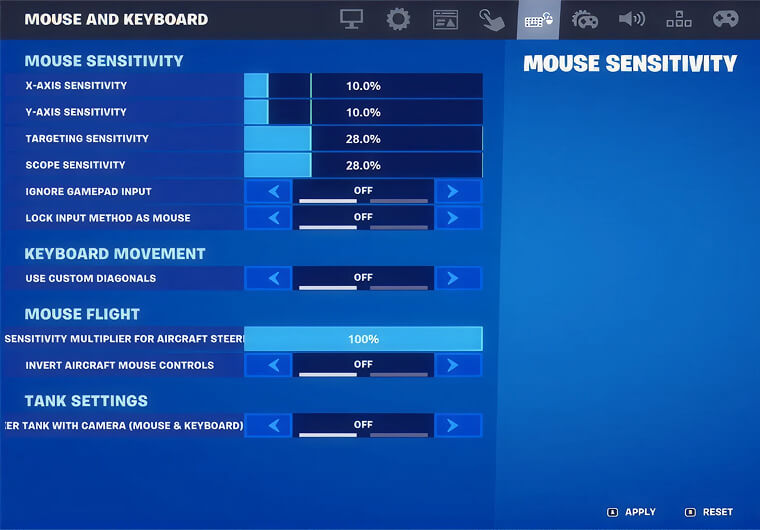
Use this table to compare DPI, mouse X/Y sensitivity, targeting sensitivity, and scope sensitivity. The “style read” column explains what the setup usually feels like in real matches.
| Player | DPI | X/Y Sens | Targeting | Scope | Style read |
|---|---|---|---|---|---|
| Peterbot | 800 | 6.4% / 6.4% | 45% | 45% | Balanced control for edits and tracking |
| Bugha | 800 | 6.4% / 6.4% | 45% | 45% | Stable all-rounder sensitivity |
| Clix | 800 | 8.7% / 6.3% | 60% | 35% | Fast horizontal turns with steadier vertical aim |
| Khanada | 800 | 7.0% / 7.0% | 40% | 40.1% | Controlled mid-range setup |
| MrSavage | 800 | 9.0% / 9.0% | 49% | 49% | Higher-sens setup for speed |
| Veno | 800 | 6.0% / 6.0% | 45% | 45% | Lower balanced control |
| Cooper | 1600 | 2.9% / 2.9% | 50% | 50% | Low effective sensitivity |
| Pollo | 800 | 6.4% / 6.4% | 30% | 30% | Balanced hip-fire, lower ADS |
| Muz | 1600 | 3.5% / 3.5% | 49.6% | 50% | 800-DPI-like effective feel |
| Acorn | 1600 | 3.3% / 3.3% | 50% | 50% | Controlled 1600 DPI setup |
| Queasy | 800 | 6.6% / 6.6% | 29% | 32% | Balanced aim with low ADS |
| Bucke | 400 | 12.0% / 12.0% | 50% | 50% | 400 DPI equivalent of mid sens |
| OliverOG | 800 | 6.6% / 6.6% | 60% | 60% | Balanced with faster ADS |
| Ark | 800 | 5.2% / 5.2% | 42.1% | 21.4% | Low control with very slow scoped aim |
| Batman Bugha | 800 | 5.7% / 5.7% | 30% | 35% | Lower sens with cautious ADS |
| Kjaer | 800 | 6.5% / 6.5% | 37% | 37% | Classic controlled setup |
| Merstach | 1600 | 3.3% / 3.3% | 48% | 48% | Low-to-mid effective sensitivity |
| Gotaga | 400 | 16.0% / 16.0% | 30% | 40% | Higher 400 DPI setup |
| Vanyak3kk | 800 | 7.1% / 7.1% | 30% | 30% | Mid sens with low ADS |
| Th0masHD | 1600 | 5.0% / 3.0% | 37% | 37% | Asymmetric setup for personal control |
What These Pro Settings Tell Us
The comparison shows that the best Fortnite pro settings are usually built around consistency, not extremes. Peterbot and Bugha both sit at 800 DPI and 6.4% X/Y, which is a strong baseline for players who want a proven middle ground. Clix uses a faster horizontal value, which can help with quick turns and close-range fighting, but it may feel unstable if your mouse control is not ready for it.
Players such as Cooper, Acorn, Muz, and Merstach use 1600 DPI with lower in-game sensitivity. This does not automatically mean they play “faster” than 800 DPI users. Their in-game numbers are lower because the DPI is higher. When comparing settings, always look at the full setup.
Low, Medium, and High Pro Sensitivity Groups
| Group | Typical range | Examples | Best for |
|---|---|---|---|
| Lower control | 800 DPI below 6% or similar eDPI | Ark, Batman Bugha, Cooper | Precise tracking, steadier AR shots, large mousepads |
| Balanced pro range | 800 DPI around 6% to 7.5% | Peterbot, Bugha, Khanada, Veno, Queasy | Most competitive players, mixed build fights and aim duels |
| Faster mechanics | 800 DPI above 8% or similar eDPI | Clix, MrSavage, Gotaga | Quick edits, fast turns, aggressive close-range pressure |
Best Starting Point Based on Pro Data
If you want one starting point from this comparison, try 800 DPI, 6.4% X sensitivity, 6.4% Y sensitivity, 45% targeting sensitivity, and 45% scope sensitivity. That puts you close to the Peterbot and Bugha style of setup while staying manageable for most players.
If you want a broader non-pro baseline first, use ARPAY’s cluster article on Best Fortnite Sensitivity Settings June 2026 before fine-tuning around a specific pro. If you are also preparing for Battle Pass or cosmetic purchases, ARPAY has a reader-friendly guide to Fortnite V-Bucks Gift Cards.
Pro-Style Settings Checklist
| Setting area | Recommended pro-style choice | Why it matters |
|---|---|---|
| Mouse polling rate | 1000 Hz if stable | Keeps input responsive without adding instability |
| Resolution | 1920x1080 | Most common competitive baseline |
| Window mode | Fullscreen or stable performance mode setup | Reduces input delay and keeps frames consistent |
| Frame cap | Match your monitor or use a stable cap | Stable FPS matters more than a high but inconsistent cap |
| Rendering mode | Performance mode if it is stable on your PC | Improves visibility and frame consistency for many players |
| ADS sensitivity | Start near 40% to 50% | Keeps scoped and tracking aim controlled |
How to Test a Pro Sensitivity Correctly
Do not switch between five pro settings in one hour. Pick one baseline and test it for several matches. Track three things: whether you overshoot close targets, whether long-range AR tracking feels shaky, and whether building/editing feels too slow. If you overshoot, lower X/Y by 0.2% to 0.5%. If turning feels slow, raise it by the same small amount.
Keep your DPI fixed while testing. Changing DPI and in-game sensitivity at the same time makes it hard to know what actually helped.
FNCS Champion Settings vs Popular Pro Settings
FNCS champion settings are valuable, but the best article angle is comparison, because Fortnite pros win with different setups. Some champions and elite finalists use lower, steadier sensitivity; others prefer faster values for aggressive fighting. Instead of asking which champion has the perfect number, compare the pattern and choose the setup that fits your mouse space, hand speed, and role in fights.
Conclusion
The best Fortnite pro sensitivity settings in 2026 point toward a controlled middle range: 800 DPI with roughly 6% to 7.5% X/Y sensitivity is the safest starting point. Peterbot and Bugha-style values are especially useful for balanced aim, while Clix and MrSavage-style setups suit players who want more speed for close-range mechanics.
Copying a pro is only the first step. The real improvement comes from testing one baseline, making small changes, and keeping your FPS, mousepad space, and ADS control consistent.
FAQs
What Fortnite pro sensitivity settings are most common?
Most Fortnite pros in public settings databases cluster around 800 DPI with X/Y sensitivity between about 6% and 9%. Some players use 400 or 1600 DPI, but their in-game sensitivity is usually adjusted to land in a similar effective range.
Should I copy Bugha, Clix, or Peterbot settings exactly?
Use them as baselines, not permanent rules. Bugha and Peterbot are strong balanced starting points, while Clix feels faster horizontally. Adjust based on your mousepad size, hand movement, FPS stability, and aim style.
Which Fortnite pros use 800 DPI?
Examples include Peterbot, Bugha, Clix, Khanada, MrSavage, Veno, Queasy, Kjaer, Pollo, and several others listed in public Fortnite pro-settings databases.
What is the difference between low and high Fortnite sensitivity?
Lower sensitivity usually helps micro aim, tracking, and long-range control. Higher sensitivity helps quick turns, edits, and box-fight reactions, but it can feel shaky if your mouse control is not consistent.