Last verified: June 23, 2026. The best Fortnite controller settings in 2026 should make three things easier: staying on target, building without delay, and editing without fighting your own binds. Fortnite gives controller players a lot of sliders, so this guide starts with a safe competitive baseline and then explains how to adjust it for PS5, Xbox, and PC controller players.
For source context, Epic’s controller help explains where to configure controller mapping and presets, while ProSettings’ Fortnite controller guide tracks common competitive controller recommendations such as advanced options, build/edit multipliers, deadzones, and input curves. Use the numbers below as a starting point, then tune in small steps.
Quick Answer: Best Fortnite Controller Settings 2026
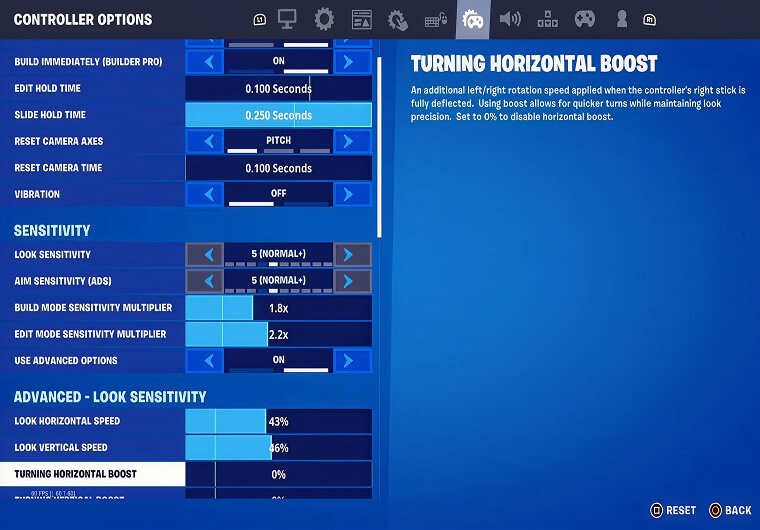
Start with Builder Pro, advanced options on, look sensitivity around 40% to 46%, ADS sensitivity around 10% to 16%, build and edit multipliers between 1.8x and 2.2x, 100% aim assist strength, and the lowest deadzones that do not create stick drift. Linear is usually better for fast close-range control, while exponential can feel steadier for players who prefer smoother long-range aim.
| Setting | Best starting value | Why it works |
|---|---|---|
| Controller preset | Builder Pro or Custom based on Builder Pro | Fastest baseline for building and fighting |
| Advanced options | On | Unlocks precise look, ADS, curve, and deadzone controls |
| Look horizontal speed | 40% to 46% | Fast enough for fights without feeling wild |
| Look vertical speed | 40% to 46% | Keeps vertical tracking consistent |
| ADS horizontal speed | 10% to 16% | Helps AR and scoped aim stay controlled |
| ADS vertical speed | 10% to 16% | Reduces overcorrection while tracking |
| Build multiplier | 1.8x to 2.2x | Makes building faster than aiming |
| Edit multiplier | 1.8x to 2.2x | Keeps edits quick without losing control |
| Aim assist strength | 100% | Best baseline for controller aim assist |
| Left/right deadzone | 5% to 10% if stable | Lower feels responsive; raise only for drift |
Best Controller Sensitivity for Fortnite
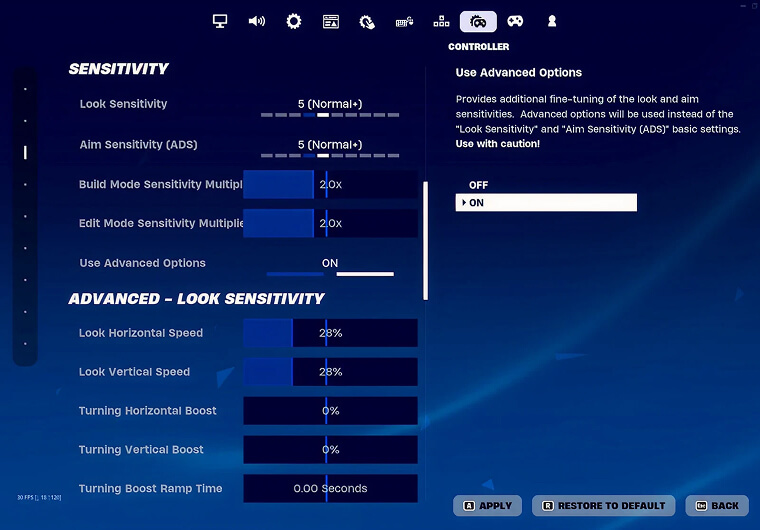
Controller sensitivity is different from mouse sensitivity because your thumbstick has a limited movement range. If the number is too high, your crosshair jumps past enemies. If it is too low, you lose close-range fights because you cannot turn or edit fast enough.
For most players, the balanced 2026 range is 40% to 46% look speed with 10% to 16% ADS speed. If you play Zero Build and take more medium-range fights, start lower. If you play ranked builds and fight inside boxes, move toward the higher end.
Balanced, Fast, and Control Controller Profiles
| Profile | Look speed | ADS speed | Build/Edit multiplier | Best for |
|---|---|---|---|---|
| Balanced ranked | 42% / 42% | 12% / 12% | 2.0x / 2.0x | Most players, PS5/Xbox/PC controller |
| Close-range builder | 46% / 44% | 11% / 11% | 2.1x / 2.2x | Fast edits, box fights, aggressive pushes |
| Control and Zero Build | 38% / 38% | 10% / 10% | 1.8x / 1.8x | AR tracking, cautious aim, lower mechanical load |
| High-speed practice | 50% / 48% | 13% / 13% | 2.2x / 2.2x | Advanced players with strong stick control |
Linear vs Exponential: Which Input Curve Should You Use?
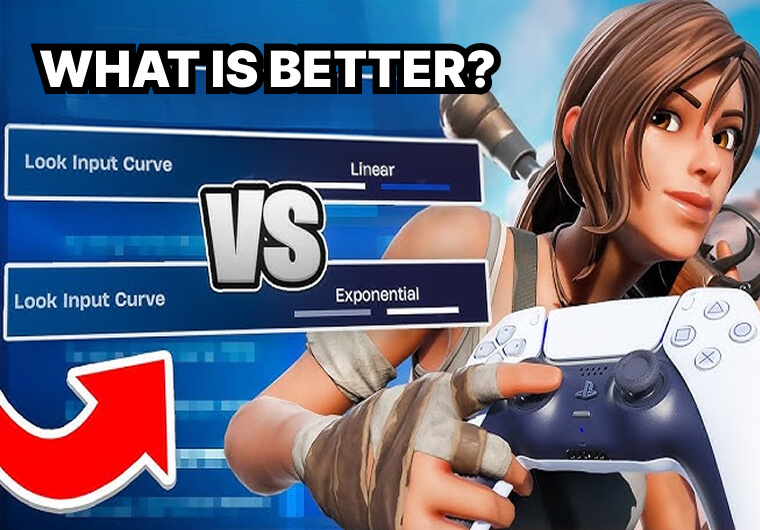
Linear gives a more direct thumbstick response. Many Fortnite controller players like it because close-range reactions, edits, and shotgun flicks feel immediate. The downside is that long-range aim can feel sensitive if your deadzone and ADS values are too high.
Exponential ramps up more gradually as you push the stick farther. It can feel smoother for tracking, AR sprays, and players who often over-aim on linear. If you are new to controller settings, test both curves with the same sensitivity before changing anything else.
| Input curve | Strength | Weakness | Who should use it |
|---|---|---|---|
| Linear | Fast, direct, strong for close range | Can feel shaky at distance | Aggressive build players and box fighters |
| Exponential | Smoother aim and long-range control | Can feel slower for edits and fast turns | Zero Build players, AR trackers, newer controller players |
Best Deadzone Settings for Fortnite Controller
Deadzone controls how far you must move the stick before Fortnite registers input. Lower deadzones feel more responsive, but if your controller has stick drift, the camera may move by itself. Start at 5% left and 5% right. If you see drift, raise the affected stick by 1% at a time until it stops.
Do not copy a pro’s deadzone blindly. Controller age, stick tension, platform, and wear matter more than the number itself.
Best Fortnite Builder Pro and Edit Binds
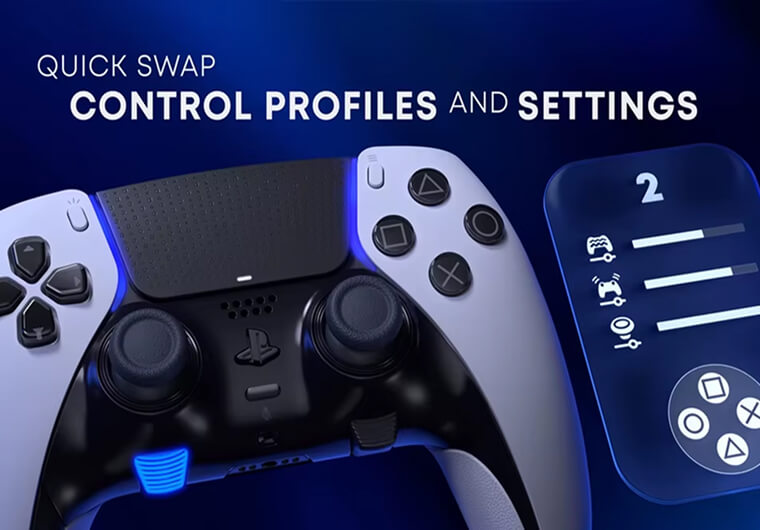
Builder Pro is the best starting preset because each build piece gets its own controller input. For a standard controller without paddles, many players move edit to the left stick so the right thumb can stay closer to the aim stick. If you use paddles, bind edit, jump, or switch mode to paddles so your thumbs stay on the sticks more often.
- Use Builder Pro as the base preset.
- Turn Build Immediately on if available in your controller options.
- Try Edit on L3/LS for non-paddle controllers.
- Use paddles for edit, jump, or switch mode if your controller supports them.
- Keep vibration off for cleaner aim feedback.
Recommended Gameplay Settings for Controller Players
| Gameplay setting | Recommended value | Reason |
|---|---|---|
| Controller Auto-Run | On | Frees attention during rotations |
| Build Immediately | On | Makes Builder Pro feel faster |
| Edit Hold Time | 0.100 seconds | Reduces delay when editing |
| Slide Hold Time | 0.120 to 0.150 seconds | Prevents accidental slides |
| Vibration | Off | Removes shake that can affect aim |
| Turbo Building | On | Required for modern build fights |
| Confirm Edit on Release | On for most players | Speeds up common edits |
| Auto Pick-Up Weapons | Off | Prevents messy inventory swaps |
Best PS5, Xbox, and PC Controller Notes
The same baseline works across PS5, Xbox, and PC, but the feel can change with frame rate and input latency. Console players should prioritize stable FPS, a wired controller when possible, and a low-latency display mode. PC controller players should avoid adding extra third-party input layers unless they know exactly what those tools change.
If you also play mouse and keyboard, compare this guide with ARPAY’s Best Fortnite Sensitivity Settings June 2026 and 20 Fortnite Pros and Their Sensitivity Settings Compared. For account top-ups and cosmetics planning, ARPAY also has a guide to Fortnite V-Bucks Gift Cards.
How to Tune Your Settings Without Ruining Your Aim
Change one setting at a time. Play at least three matches or a focused creative warm-up before judging the change. If you miss by overshooting, lower look speed or ADS by 1% to 2%. If you cannot turn quickly enough in box fights, increase look speed by 1% to 2% or raise your build/edit multiplier slightly.
Once aim feels stable, stop changing settings for a few days. Controller aim improves when your hands learn the same response curve repeatedly.
Conclusion
The best Fortnite controller settings for 2026 are not extreme. A strong starting point is Builder Pro, advanced options on, 42% look speed, 12% ADS speed, 2.0x build and edit multipliers, 100% aim assist, and deadzones as low as your controller allows without drift.
From there, choose your direction: lower values for steadier tracking, higher values for faster close-range mechanics, linear for direct response, or exponential for smoother control. Keep the changes small and test them in real fights before deciding.
FAQs
What are the best Fortnite controller settings in 2026?
A strong starting setup is Builder Pro, advanced options on, 40% to 46% look speed, 10% to 16% ADS speed, 1.8x to 2.2x build/edit multipliers, 100% aim assist, and low deadzones that do not cause drift.
Should I use linear or exponential in Fortnite?
Use linear if you want faster close-range reactions and direct stick response. Use exponential if you want smoother long-range aim and a more gradual response curve.
What deadzone should I use on Fortnite controller?
Start around 5% left stick and 5% right stick. If your camera or movement drifts, raise the affected deadzone by 1% at a time until drift stops.
Is Builder Pro still the best Fortnite controller preset?
Yes, Builder Pro is still the best baseline for most players because it gives fast access to build pieces. Players with paddles can customize from Builder Pro for even faster edits and jumps.