Quick answer: The STC offer check code most Sawa users should start with is send 8000 to 900. STC lists this as the shortcut for more Sawa package details on its official prepaid packages page. You can also check offers in the mystc app, call 900, check Sawa balance with *166# or 1500, and check remaining data by sending 2220 to 900.
Last verified: Jun 26, 2026.
STC Offer Check Code: The Short Version
If you only need the fastest route, use the code table below. It separates offer discovery from balance checks, because STC uses different shortcuts for package details, account balance, and internet data balance.
| What you want to check | Official method | Best for |
|---|---|---|
| Sawa offer and package details | Send 8000 to 900 | Finding current Sawa package options and activation codes |
| Sawa balance | Dial *166# or call 1500 | Checking remaining prepaid credit before activation |
| Internet data balance | Send 2220 to 900 | Checking remaining mobile data |
| One-time internet offers | Use mystc, visit a branch, call 900, or send the listed package code to 900 | Daily, weekly, and one-time data bundles |
STC also shows current Sawa activation codes on its prepaid package page. Because prices and package names can change, treat the STC page or mystc app as the final confirmation before subscribing.
How to Check STC Sawa Offers by SMS
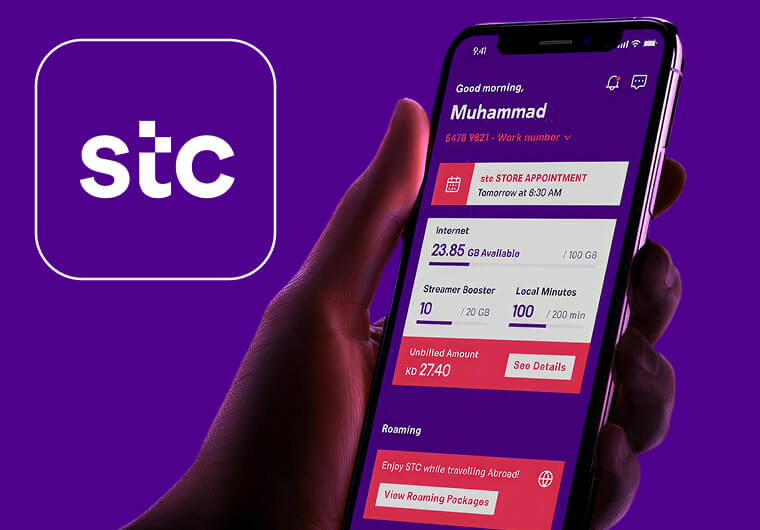
For prepaid Sawa users, the cleanest offer lookup is SMS. Open messages, type 8000, send it to 900, then wait for STC to return available package details or the next menu step. This is useful when you do not want to browse the app or when mobile data is weak.
Use this before activating a paid bundle. It helps you confirm the current package name, validity, and activation code instead of relying on old screenshots or outdated social posts. STC’s prepaid page currently says users can send 8000 to 900 for more Sawa details, so this is the safest keyword target for “stc offer check code” searches.
How to Check STC Offers in the mystc App
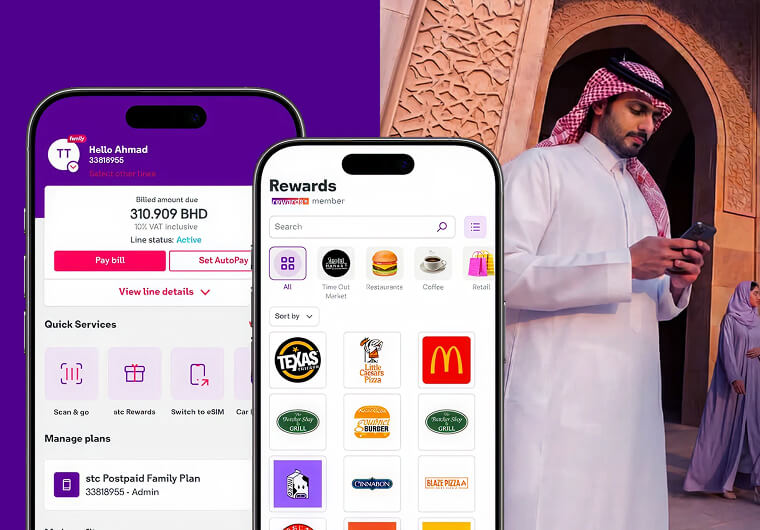
The mystc app is usually better when you want personalized offers. Log in with your STC number, open your mobile line, then look for offers, packages, or add-ons inside the app. App labels can change, but the flow is normally: choose your number, review available bundles, compare validity and allowance, then activate only after checking the final price.
The app is also useful if you manage more than one line. It lets you compare packages without sending several SMS requests, and it gives a clearer view of renewal status, remaining balance, and active services.
STC Balance Check Code Before You Activate an Offer
Before activating a Sawa offer, check whether your line has enough prepaid balance. STC’s business Sawa guidance says users can check Sawa balance by dialing *166# or calling 1500.
This step matters because an offer may fail if the line does not have enough credit. If you need to top up first, ARPAY has a related guide on how to check STC gift card balance before using a recharge card.
STC Internet Offer Check Code and Data Balance
If your main question is about internet usage, do not use the balance code alone. STC’s support FAQ says customers can check remaining data through mystc, the mystc website, or by sending 2220 to 900
For one-time internet packages, STC says activation can be done through the mystc app, by visiting a branch, calling 900, or by sending a listed offer code to 900. On its one-time internet packages page, STC gives 6120 to 900 as an example for the international calls and data offer.
What to Do if the STC Offer Code Does Not Work
First, confirm that you are sending the code from the STC line you want to manage. SMS shortcuts can fail if you send them from another operator, from a data-only line that does not support the same menu, or while the SIM is inactive.
Second, check whether the offer is still available. Telecom promotions are often seasonal, and a code that worked during Ramadan, Eid, National Day, or a limited campaign may stop working after the offer window closes.
Third, try the mystc app or call 900. If the app shows a different price, validity, or allowance than an old article, trust the app and STC’s official pages. The live operator page is more reliable than copied code lists.
Best Practice Before Activating STC Offers
Use the STC offer check code to discover the package, then check balance and data separately. That three-step check avoids most activation mistakes:
- Send 8000 to 900 for Sawa package details.
- Dial *166# or call 1500 to confirm prepaid balance.
- Send 2220 to 900 if you need remaining data balance.
If you are buying credit before activating a plan, choose the amount after checking the package price and validity. That keeps the guide useful for searchers without pushing them into a bundle that may no longer match their needs.
FAQ
What is the STC offer check code?
For Sawa package details, send 8000 to 900. STC lists this shortcut on its prepaid package page for more Sawa details.
How do I check STC Sawa balance?
Dial *166# or call 1500 from your Sawa line. STC lists both methods for checking Sawa balance.
How do I check my STC data balance?
Send 2220 to 900, or check through the mystc app or mystc website. This is the official data-balance method listed in STC support FAQs.
Can I activate STC internet offers by SMS?
Yes, some internet offers can be activated by sending the package code to 900. For example, STC lists 6120 to 900 for one international calls and data offer.
Is mystc better than SMS for checking offers?
mystc is better for personalized offers and account management, while SMS is faster when you only need a code-based check without using mobile data.
Why is my STC offer code not working?
The offer may have expired, your SIM may not be eligible, the line may not have enough balance, or the code may apply to a different package type. Check mystc or call 900 to confirm.