The best CS2 sensitivity settings in 2026 start with a controlled eDPI range, not a random in-game number. For most Counter-Strike 2 players, a strong baseline is 800 DPI with 0.90 to 1.20 sensitivity, or 400 DPI with 1.80 to 2.40. That lands around 720 to 960 eDPI, a practical range for clean crosshair placement, spray control and small angle corrections.
If you came from Valorant, do not copy your Valorant sensitivity directly. CS2 has faster counter-strafing, tighter angle discipline and more spray commitment, so the goal is a sensitivity that lets you clear corners without losing precision during the first five bullets.
Last verified: June 29, 2026. This guide reflects Valve's current Counter-Strike 2 update feed, current CS2 pro settings data from ProSettings, and eDPI logic used by modern sensitivity calculators.
Best CS2 Sensitivity Settings Quick Setup
- Mouse DPI: 800 for most players, or 400 if you already prefer a slower desktop feel.
- In-game sensitivity: 0.90 to 1.20 at 800 DPI, or 1.80 to 2.40 at 400 DPI.
- Target eDPI: 720 to 960 for balanced rifling, with 600 to 800 for lower-sens control.
- Zoom sensitivity: 1.00 unless scoped AWP shots feel disconnected from rifle aim.
- Windows pointer speed: 6/11, with Enhance Pointer Precision turned off.
- Polling rate: 1000Hz as a stable baseline; higher rates are fine if your PC stays smooth.
- Crosshair: small, static, high contrast and easy to see on bright maps.
- Video goal: stable FPS above your monitor refresh rate before raising visual quality.
What eDPI Means in CS2
eDPI means effective DPI. Multiply your mouse DPI by your CS2 sensitivity. The formula is simple: DPI x in-game sensitivity = eDPI.
For example, 800 DPI with 1.00 sensitivity equals 800 eDPI. A 400 DPI player can reach the same turn speed with 2.00 sensitivity. The numbers look different, but the final mouse movement is nearly identical.
This is why CS2 sensitivity settings should always be explained with DPI and eDPI together. DPI alone does not tell the reader how fast the aim feels inside the game.
Best DPI for CS2
The best DPI for CS2 is usually 800 DPI because it keeps menus, desktop use and aim trainers comfortable while still allowing a low in-game sensitivity. 400 DPI remains popular with long-time Counter-Strike players who like a slower desktop and larger arm movement.
Use these starting points: 400 DPI x 2.00 for 800 eDPI, 800 DPI x 1.00 for 800 eDPI, or 1600 DPI x 0.50 for the same effective speed. If you are unsure, start at 800 DPI and 1.00 sensitivity, then adjust in small 0.05 steps.
Best CS2 Pro Player Settings
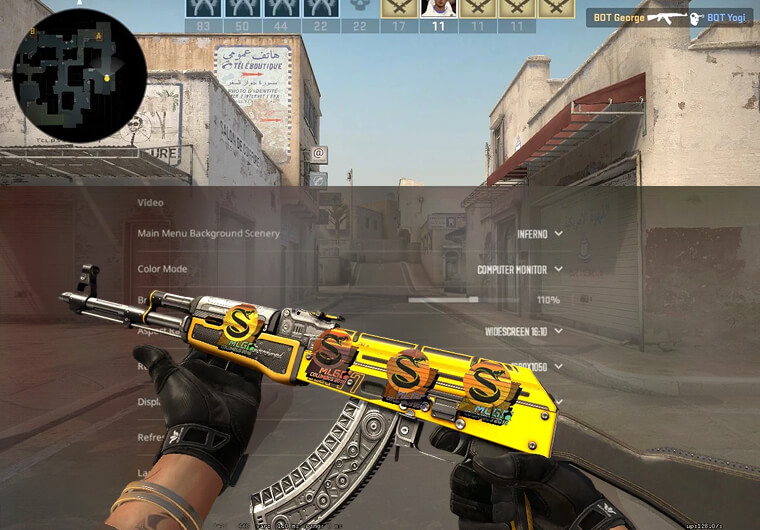
CS2 pro player settings are useful as a reference, not as a rule. Most elite players sit in a low-to-medium eDPI zone because Counter-Strike rewards crosshair placement more than wild turning speed. The common pattern is controlled sensitivity, a simple crosshair, low-latency video settings and a resolution the player has trained for years.
A practical ranked setup is 800 DPI, 1.00 sensitivity, 1.00 zoom sensitivity, raw mouse input behavior, and a static crosshair. If you keep overshooting heads on Mirage, Dust2 or Ancient, lower sensitivity to 0.95 or 0.90. If you cannot clear close corners without lifting your mouse constantly, raise it to 1.05 or 1.10.
Best CS2 Crosshair Settings
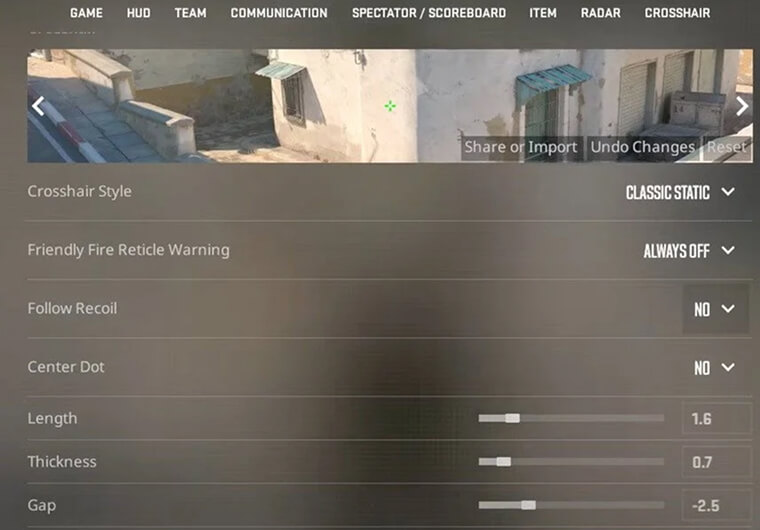
The best CS2 crosshair is readable before it is stylish. Use a static crosshair with a clear center gap, strong contrast and no movement distraction. Green, cyan and bright yellow are common because they stay visible on many map textures.
Keep the crosshair small enough for head-level aim but not so tiny that you lose it during smokes, flashes or bright sky angles. If you change crosshair and sensitivity at the same time, you will not know which change improved your aim, so test them separately.
CS2 Graphics Settings for FPS and Input Lag
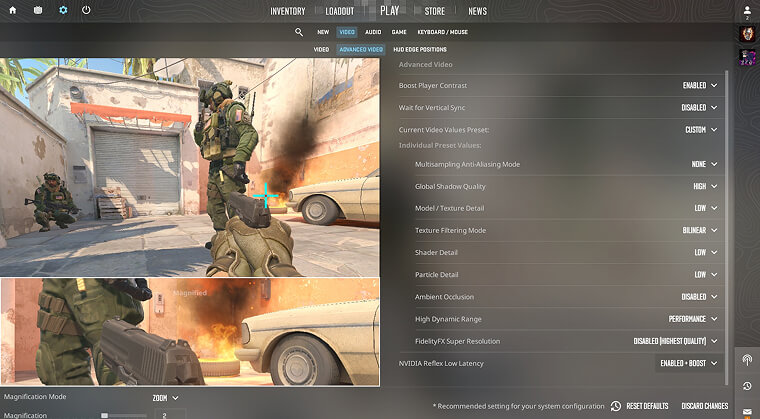
CS2 graphics settings for FPS matter because sensitivity feels worse when frames are unstable. A perfect eDPI will still feel floaty if V-Sync, heavy shadows or unstable frame pacing adds input delay.
Use fullscreen mode, keep V-Sync off, lower expensive visual options if your frame rate drops in utility-heavy rounds, and prioritize stable FPS over prettier textures. If you use a 144Hz, 240Hz or faster monitor, aim for a frame rate that stays above refresh during real matches, not only in an empty practice map.
How to Test Your CS2 Sensitivity Settings
Test sensitivity with one repeatable routine. Open a practice map or deathmatch, hold common head-height angles, counter-strafe before shooting, and track whether you overflick, underflick or lose spray control.
If you overflick past heads, lower sensitivity by 0.05. If you consistently stop short, raise it by 0.05. If both happen in the same session, your movement timing or crosshair placement is probably the issue, not the number.
If you are building a full FPS settings routine, compare this CS2 guide with ARPAY's Valorant sensitivity settings, Fortnite controller settings and Warzone sensitivity settings. The goal is not to use one sensitivity everywhere; it is to understand how each game handles aim, recoil, movement and ADS.
FAQ
What are the best CS2 sensitivity settings in 2026?
The best CS2 sensitivity settings for most players are 800 DPI with 0.90 to 1.20 in-game sensitivity, or 400 DPI with 1.80 to 2.40. That creates a practical 720 to 960 eDPI range.
Is 800 DPI good for CS2?
Yes. 800 DPI is a strong CS2 baseline because it works well on desktop and still allows a controlled in-game sensitivity. Start with 800 DPI and 1.00 sensitivity if you want a balanced setup.
What eDPI should I use in CS2?
A good CS2 eDPI range is usually 720 to 960 for balanced players, with 600 to 800 for lower-sensitivity riflers. Treat pro eDPI as a reference, then tune around your desk space and aim style.
What are the best CS2 crosshair settings?
Use a small static crosshair with a visible center gap, high-contrast color and no movement distraction. The best crosshair is one you can see clearly while holding head-level angles.
Do CS2 graphics settings affect sensitivity?
Graphics settings do not change your sensitivity number, but unstable FPS and input lag can make the same setting feel slower or floatier. Prioritize stable FPS, fullscreen mode and V-Sync off.